
Fiber optic and Wi-Fi do not address the same technical question. Fiber refers to the physical medium that carries data to the home, while Wi-Fi distributes this signal wirelessly indoors. Asking about performance between the two is akin to measuring what each link contributes, and especially what it can cause to be lost in terms of speed, latency, or stability.
Wi-Fi as the limiting link in a fiber connection
Most fiber subscribers do not benefit from the subscribed speed. The culprit is not the operator’s network, but the wireless link between the box and the devices. With a fiber offer delivering more than 1 Gb/s at the box output, a device connected via Wi-Fi 5 caps well below this value.
Wi-Fi 6 and 6E access points change the game. On a 160 MHz channel, Wi-Fi 6E exceeds 2.4 Gb/s in physical throughput, which comfortably covers consumer fiber offers between 1 and 2 Gb/s. The type of Wi-Fi integrated into the box (Wi-Fi 5, 6, or 7) becomes as crucial a selection criterion as the fiber speed advertised by the operator.
To compare Wi-Fi to fiber optic meaningfully, one must look at the entire chain: fiber speed at the box output, Wi-Fi standard of the router, compatibility of the receiving device, and distance between the two.

Comparison table: wired fiber, Wi-Fi 5, Wi-Fi 6E, and Wi-Fi 7
The table below contrasts the measurable characteristics of each technology in a typical home context.
| Criterion | Fiber (Ethernet cable) | Wi-Fi 5 (802.11ac) | Wi-Fi 6E (802.11ax) | Wi-Fi 7 (802.11be) |
|---|---|---|---|---|
| Max theoretical speed | Up to 8 Gb/s depending on the offer | Less than 1 Gb/s | More than 2 Gb/s | More than 5 Gb/s |
| Latency | Very low (less than 1 ms locally) | Variable, sensitive to interference | Reduced thanks to OFDMA | Very low (MLO) |
| Stability | Constant | Degrades with distance and obstacles | Better management of dense environments | Aggregation of simultaneous bands |
| Range | Limited by cable length | Average, strong attenuation through walls | Similar, 6 GHz band shorter | Similar to 6E |
| Mobility | None | Total within the home | Total within the home | Total within the home |
Reading the table shows a clear gap: wired connection remains unbeatable in stability and latency. On the other hand, recent Wi-Fi standards reduce the speed gap to the point of making it negligible for most home uses.
Actual speeds in Wi-Fi: why the gap with fiber persists
The theoretical speed of a Wi-Fi standard never corresponds to the actual speed. Several factors degrade the signal between the router and the device.
- Load-bearing walls, concrete slabs, and metal partitions significantly attenuate the signal, especially on the 5 GHz and 6 GHz bands that offer the best speeds.
- Interference from other neighboring Wi-Fi networks, microwaves, or Bluetooth devices saturates the available channels and fragments the bandwidth.
- The number of devices connected simultaneously divides the overall speed. A household with multiple smartphones, tablets, connected TVs, and smart home devices constantly demands from the router.
- The compatibility of the receiving device limits the speed: a laptop equipped with a Wi-Fi 5 card will gain no benefit from a Wi-Fi 7 router.
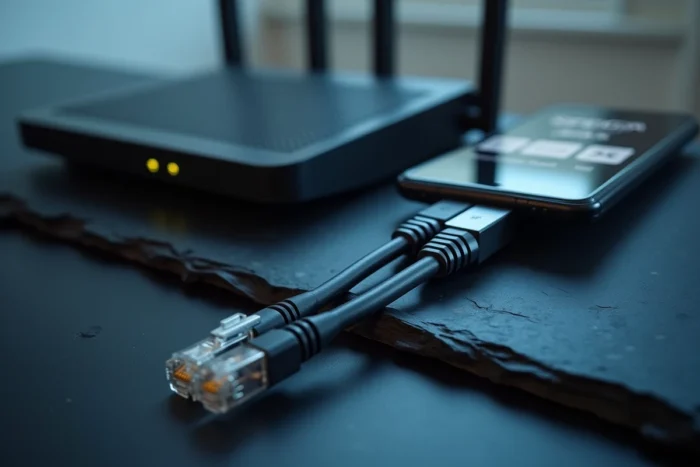
Wi-Fi can become the bottleneck of a high-performing fiber connection. A subscriber with a 2 Gb/s offer but using a Wi-Fi 5 router or devices will only utilize a fraction of their subscription. Plugging an Ethernet cable into the device that requires the best speed (gaming console, workstation) remains the most effective solution.
Concrete case: 4K streaming on multiple screens
A 4K HDR video stream consumes around 25 Mb/s. Therefore, three simultaneous streams require less than 100 Mb/s, a speed that even Wi-Fi 5 can provide under good conditions. The problem does not come from raw speed but from consistency: a micro Wi-Fi drop causes visible buffering, whereas wired fiber maintains a constant flow.
Fiber and Wi-Fi in the upcoming European regulatory framework
The fiber-Wi-Fi comparison will not remain solely technical. The European Commission is working on a regulation aimed at coordinating the development of fiber optic and radio technologies (Wi-Fi, 5G, future 6G). This text aims to accelerate the transition to fiber while gradually deactivating copper networks and harmonizing the allocation of the radio spectrum at the European level.
This approach means that fiber and Wi-Fi are no longer seen as competing technologies but as complementary layers of the same network. Fiber powers the backbone, while Wi-Fi (or 5G/6G) ensures local distribution. Opposing fiber and Wi-Fi loses its meaning when one does not function without the other.
What selection criterion for a high-performing internet connection
The real trade-off is not about fiber versus Wi-Fi, but about how to articulate the two.
- For a fixed workstation requiring stable speed (telecommuting, competitive gaming, video editing), a direct Ethernet connection from the fiber box eliminates any variable related to wireless.
- For mobile devices in the home (smartphones, tablets, connected speakers), Wi-Fi is the only option. Investing in a router compatible with Wi-Fi 6E or 7 allows for truly utilizing the subscribed fiber speed.
- For large or multi-story homes, a mesh Wi-Fi system with wired backhaul (Ethernet cable between nodes) combines wireless coverage and fiber stability.
The choice of the Wi-Fi standard of the router weighs as much as the choice of the fiber offer. A high-end fiber subscription paired with a Wi-Fi 5 box is akin to putting a powerful engine on a vehicle with bald tires. Overall performance depends on the weakest link in the chain.
The most reliable indicator remains the speed measured directly on the device used, under real conditions. Speed tests in Ethernet and then in Wi-Fi, from the same location, allow for precise quantification of what wireless loses and to decide if a cable or a router change is necessary.